Please add the subscriptions based fields like celestial sage in maitreya store
My pleasure, Mai! Well done on implementing the new features.
Does this also mean that the “Buy again” button, which appears both on the Orders page and within each individual order’s details page, cannot be removed because it’s a built-in feature of the platform? It seems rather redundant in both locations.
1 Like
I’ve also noticed that the “My Courses” section currently appears in three different locations:
-
Orders page: It appears twice with identical content and layout, which seems to be a duplication bug.
-
Members Area: In my opinion, this is the most appropriate and natural location for “My Courses,” ideally serving as its primary section.
-
Profile section: It also appears here, which seems redundant.
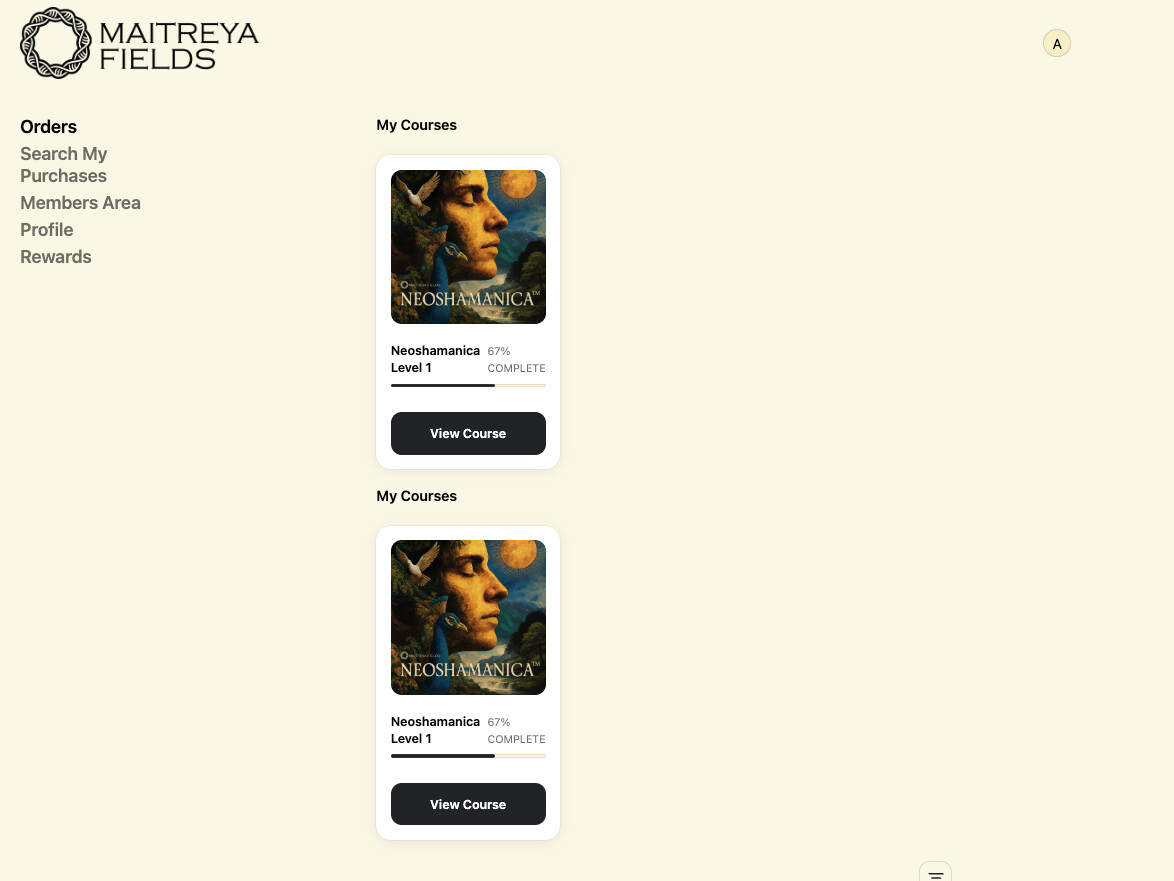
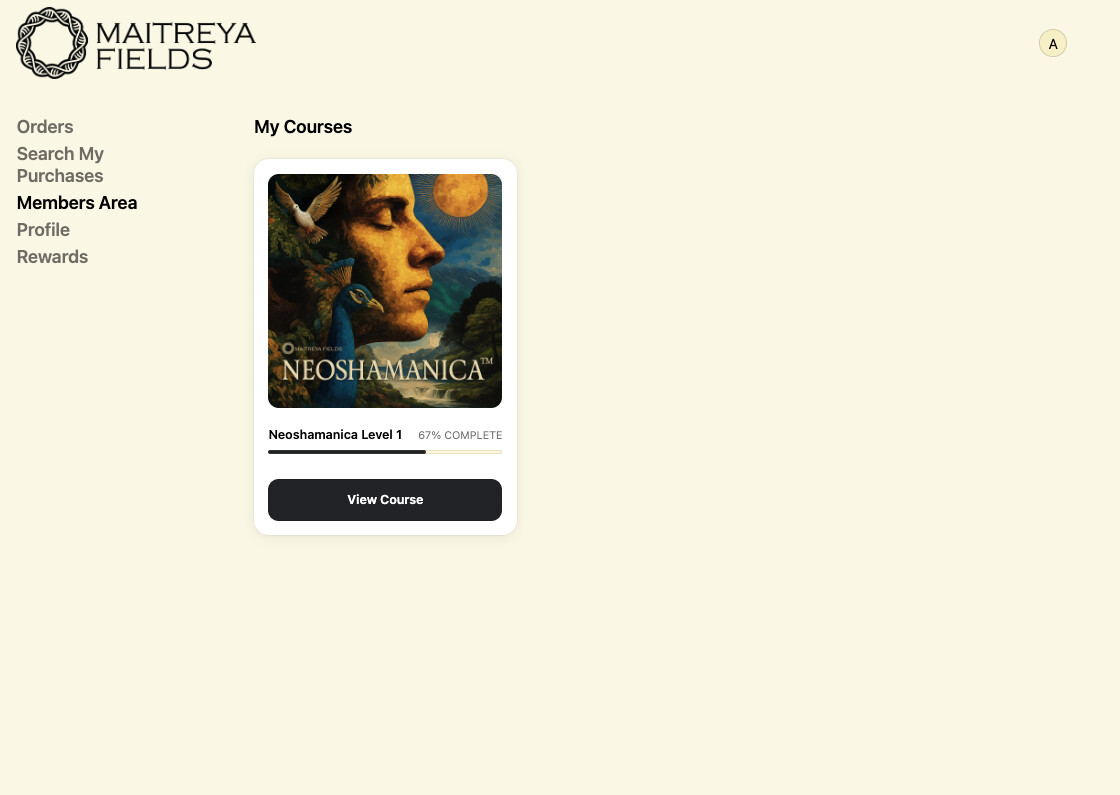
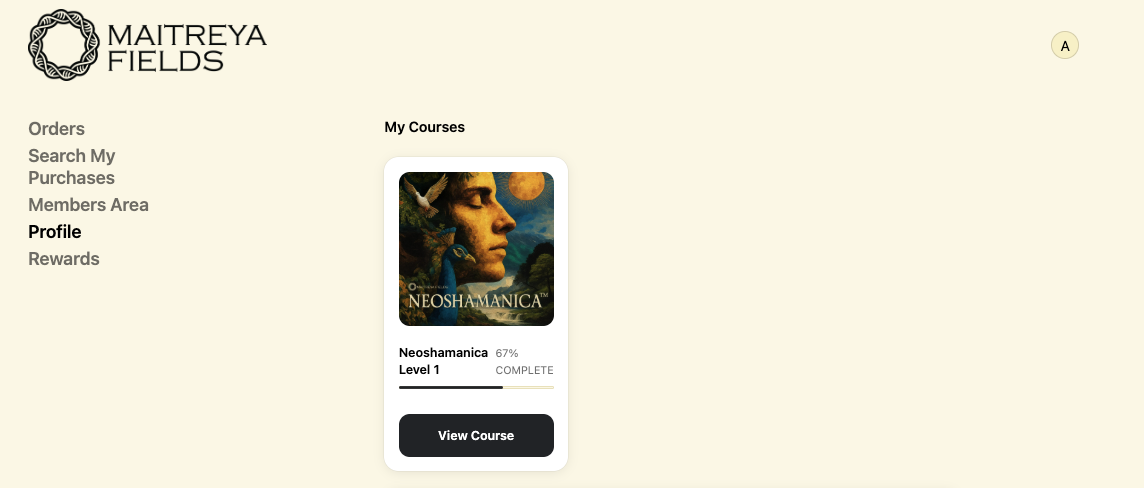
Personally, I believe “My Courses” belongs primarily under Members Area, while its presence under Profile is unnecessary. As for the Orders page, I can see some value in keeping it there as well, so I’ll leave that to your discretion.
1 Like
It works very well  well done and thank you all for your suggestions and help!
1 Like
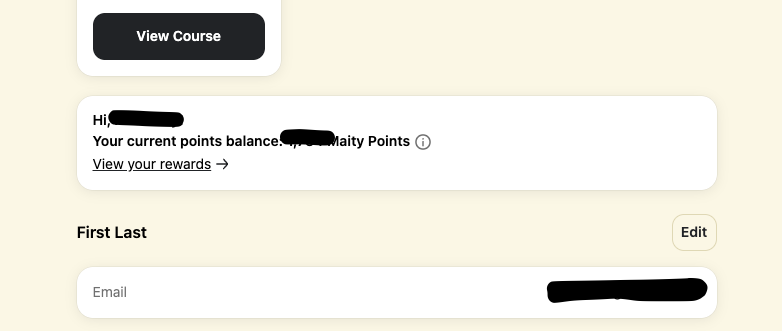
I’ve noticed another issue related to the synchronization of user profile details between the Profile and Rewards pages.
Steps to reproduce:
-
Navigate to the Profile page.
-
Click the Edit button located above the email address.
-
Update the personal details, such as First Name and/or Last Name.
-
Click Save to apply the changes.
-
Navigate to the Rewards page.
Actual behavior:
The Rewards page does not reflect the updated profile details and continues to display the previous first and last name. I suspect it may be retrieving the customer’s details from an earlier order, possibly the most recent one, rather than from the updated account profile.
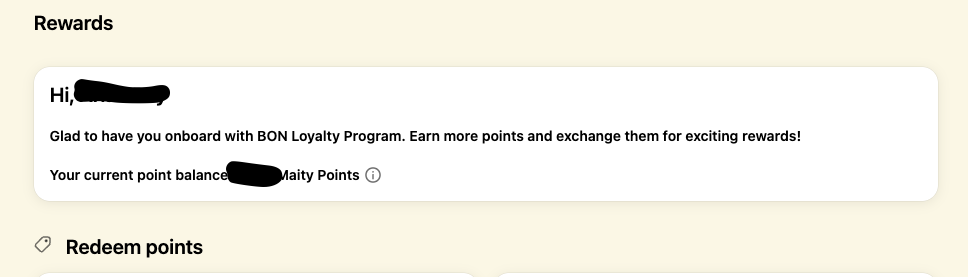
Example:
If I change my name from John Doe to John Smith in my profile and save the changes, the Rewards page still displays:
"Hi, John Doe
Glad to have you onboard with BON Loyalty Program. Earn more points and exchange them for exciting rewards!
Your current point balance: xxx Maity Points"
The Rewards-related banner on the Profile page also continues to reflect the outdated personal details.
1 Like
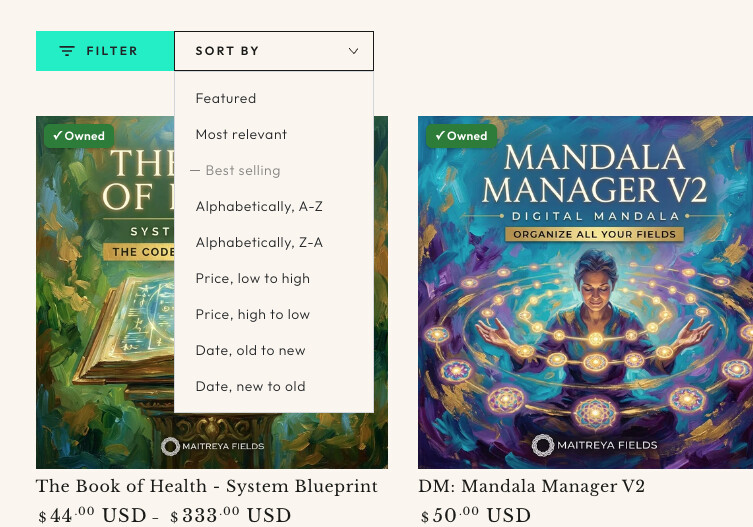
UX Improvement Suggestion: Add an “Owned items” option to the “SORT BY” dropdown menu within the Digital Downloads collection, allowing users to easily identify and browse products they have already purchased across the entire collection.
2 Likes
Thank you so much for the suggestion, @GVUV! We’ll look into whether we can bring the subscription fields like Celestial Sage to the new store as well. 
1 Like
Solid Aesthetically pleasing website on the eyes! Works smooth too. The paid purchased fields are all there migrated successfully. Only the free ones that were available and purchased in the past are missing. I’ll list the ones that are on my old account under ordered (free) that I cant seem to find on the new site under my purchases :
- Energetic Sensitivity Booster
- Lucky Timeline
- DM: Send Unconditional Love
- Cellphone/Laptop EMF Protection
- DM: Master Strategist
- Unconditional Love
- Clear Sight, Clear Self
- Divine Protection from Negative Energy and Bad Entities / Mandala.
- DM: Giving and Receiving Love
- I Know You [DM + Audio]
- UV-C Light Digital Mandala
- DM: Innate Faith in God
- QUANTUM BOOSTER
- DM: Sri Yantra
- Christ Consciousness - Activate DNA [This one I’ve under purchased in the old site but it didn’t translate to purchased on the new site, I gotta place an order manually which I will eventually, not an issue just letting you know which ones didn’t directly made it to purchased fields in the new site)
- DM: Trust Issues Healing
- Water Blessings
- Ultimate Compassion
- DM: Home Series
- The Great Compassion Mantra
- DM: Genius Creativity
That’s it, these are the freemium fields from the old site that haven’t made it to the purchased or ordered section on the new site. Some of these fields aren’t searchable or unavailable. Christ Consciousness is the one we gotta add to cart again (which is effortless anyways and not a big deal) and doesn’t show up under purchases directly if we had it in our orders on old site.
1 Like
Thank you for the feedback!
Now all free fields are uploaded here.
You need to repurchase them, because the migration didn’t transfer the orders for the free fields.
3 Likes
Wow that was quick! Thank you for the speedy resolution!
1 Like
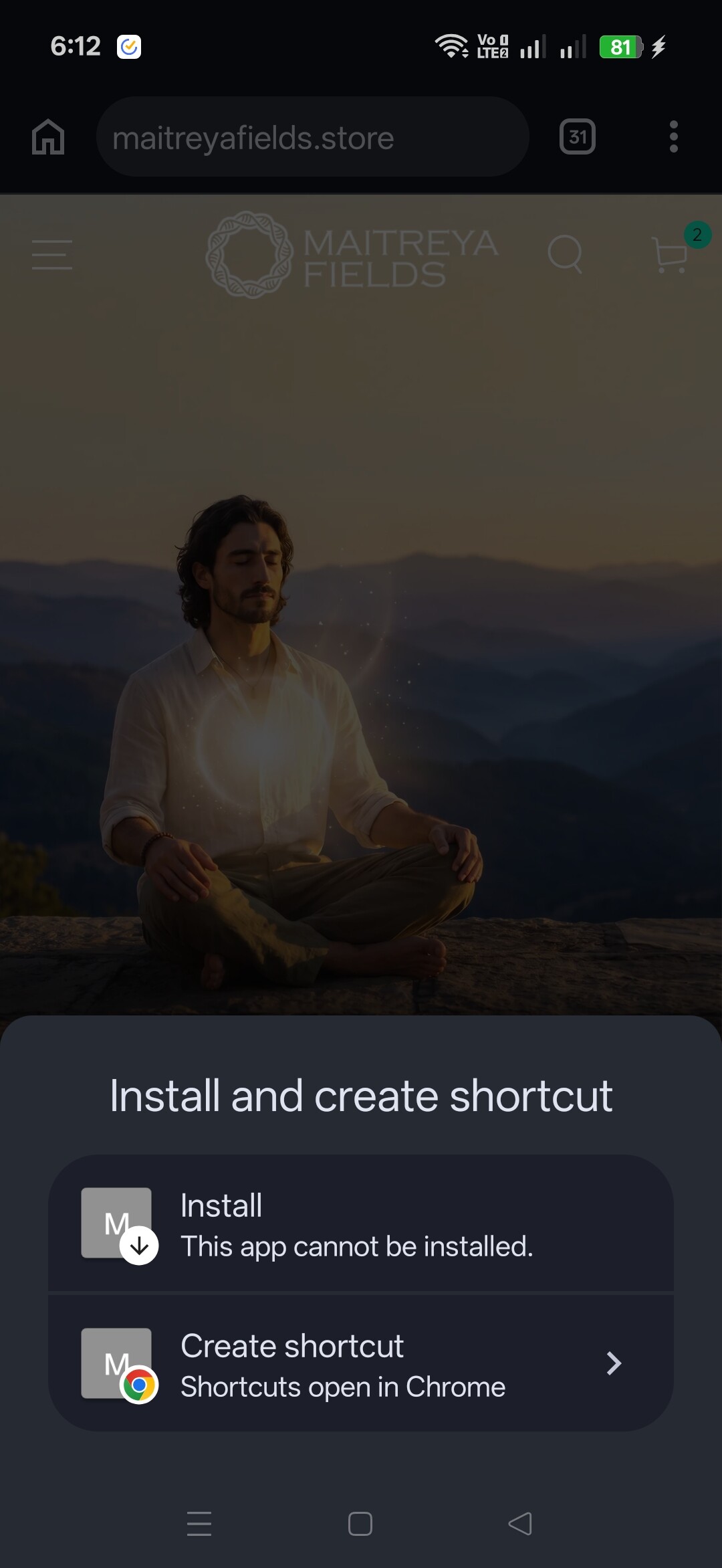
one add on: the store can’t able to be installed as an app in the chrome for android. so can make the feature up for more ease access
1 Like
The AI chat bot in the website was improved today and also have corrections based on the errors he gave in the past days.
1 Like
How you even get that menu? 
I even use this forum as maitreya app.
The app means it just creates an icon in the home screen.
It is there in the three dot icon in chrome at the top right .
And then click the following in the image.
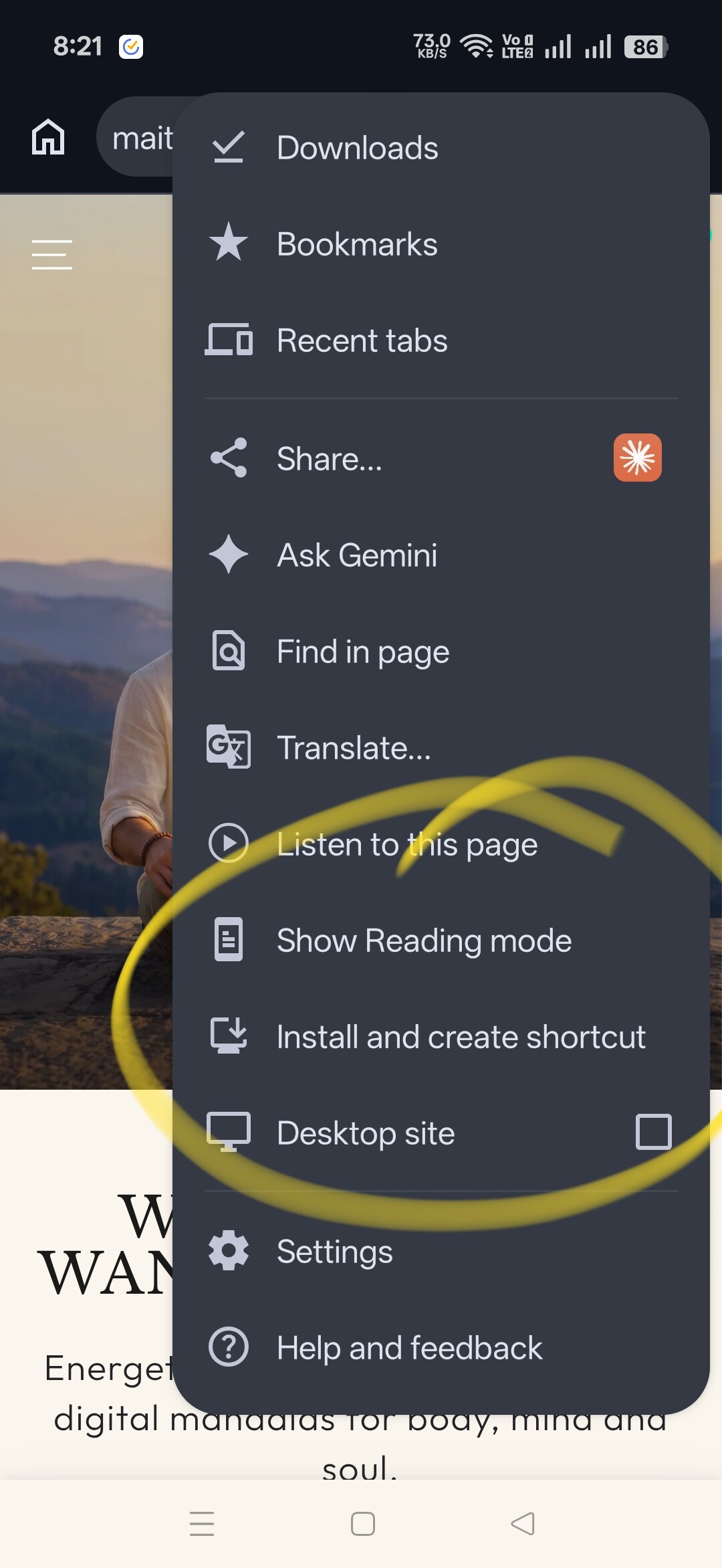
It is just an shortcut
So i just purchased some items on the new store and when i press on download it just opens up another browser page with the mandala where i cant download it(i‘m on iPad), not giving me a pop up to download. And for items with multiple files like the field optimizer it also just opens another tab with the mandala without the audios. On gumroad it was easier.
Hmm, I have never used an iPad, but on mobile, which I think is the same, it just downloads them in File Manager. There is a different download button for the DM and for the audio. So if 1 product has DM + audio, you will have to download them separately (2 downloads)
Hello,
I wanted to ask if it would be possible to include the name of the purchased field in the subject/title of the confirmation email when an order is sent from the Maitreya Fields store.
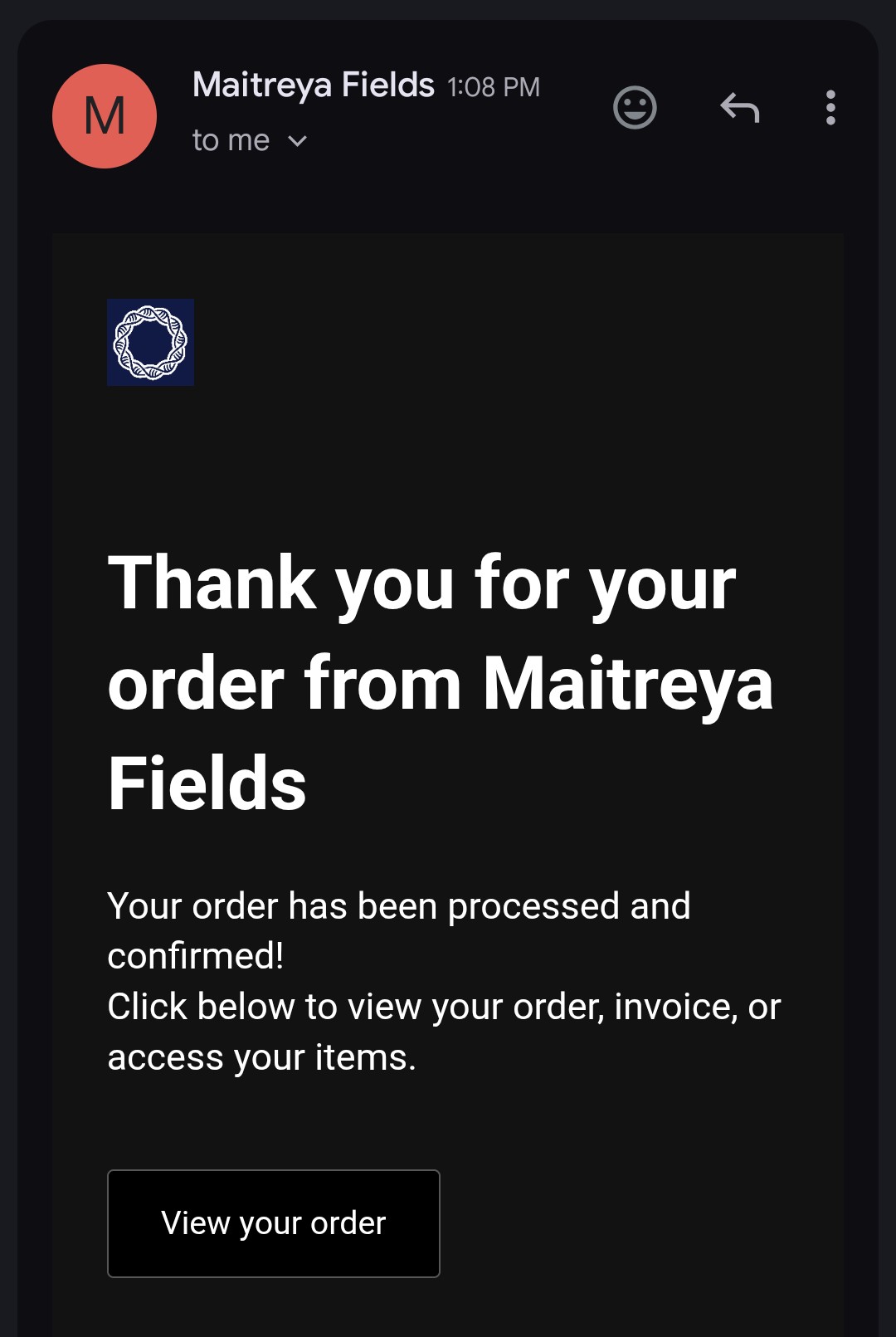
Right now, every email I receive after a purchase looks almost identical and simply says something like “Thank you for your order from Maitreya Fields,” without showing the name of the field I purchased.
For me personally, this makes it very difficult later when I want to find a specific field in my email and quickly download or access it again. Instead of simply searching my inbox for the field name, I have to open many different purchase emails one by one until I find the correct one.
I know I can also access my purchases by signing into the Maitreya store and going through my purchased files, but for different reasons that does not always work smoothly for me. I often prefer using my email because it is much faster and easier to access the field directly from there.
For example, I just made another purchase today, and as you can see in the attached screenshot, the confirmation email still does not show the name of the field I purchased.
Would it be possible for future purchase emails to show something like:
“Your Maitreya Fields Order – [Name of Purchased Field]”
or simply include the field name somewhere clearly in the email subject?
That small change would make it so much easier to organize, search for, and access previously purchased fields, especially for customers who have purchased many fields over time.
Thank you for considering this.
Best,
2 Likes
I will check if this can happen, but it comes from a third-party application, so I am not sure. We will check it. Thanks for the feedback. If this doesn’t work, inside your profile, we made a whole page where you can search fields by their names.
1 Like
Okay will try it on mobile, can i send the files over to my iPad or will the fields not work then?
You can transfer the files from one device to another. Also you can try another browser on your iPad - sometimes the problems come from the browsers.
1 Like