Hey, everyone! 
Our Maity Points loyalty program is fully up and running on maitreyafields.store, and it’s now easier than ever to see your points and use your rewards. Here’s everything you need to know.
Where to find your points
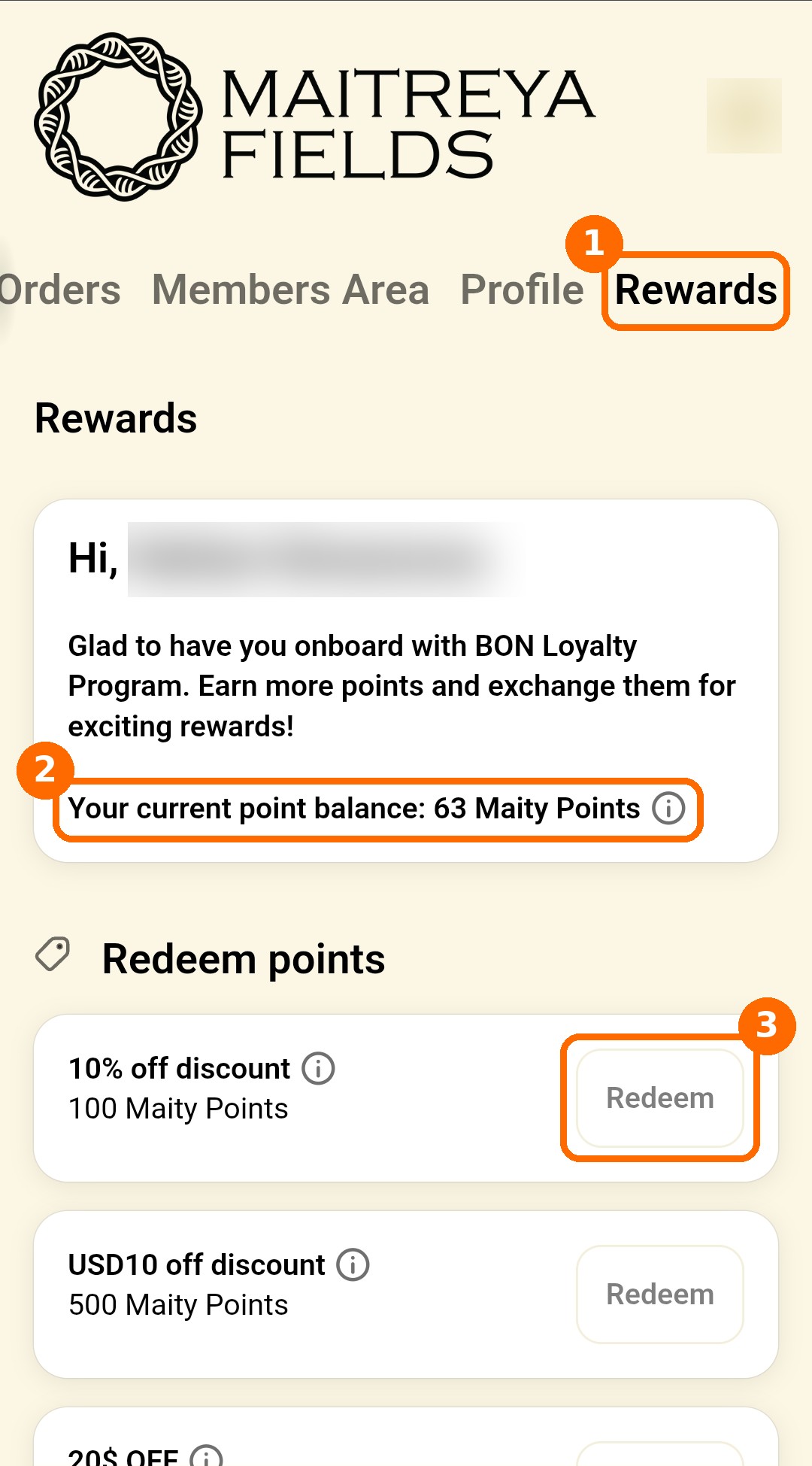
1. Log in to your account on the site and open the Rewards tab (next to Orders, Members Area and Profile).
2. At the top you’ll see your current point balance.
3. Under Redeem points, choose a reward and tap Redeem. The button becomes active once you have enough points.
Rewards you can get
| Points | Reward |
|---|---|
| 100 | 10% off |
| 500 | $10 off |
| 1,000 | $20 off |
| 2,000 | $40 off |
| 3,000 | $60 off |
| 5,000 | $100 off |
| 7,500 | $150 off |
| 10,000 | $200 off |
| 15,000 | $300 off |
| 25,000 | $500 off |
Where to find your code
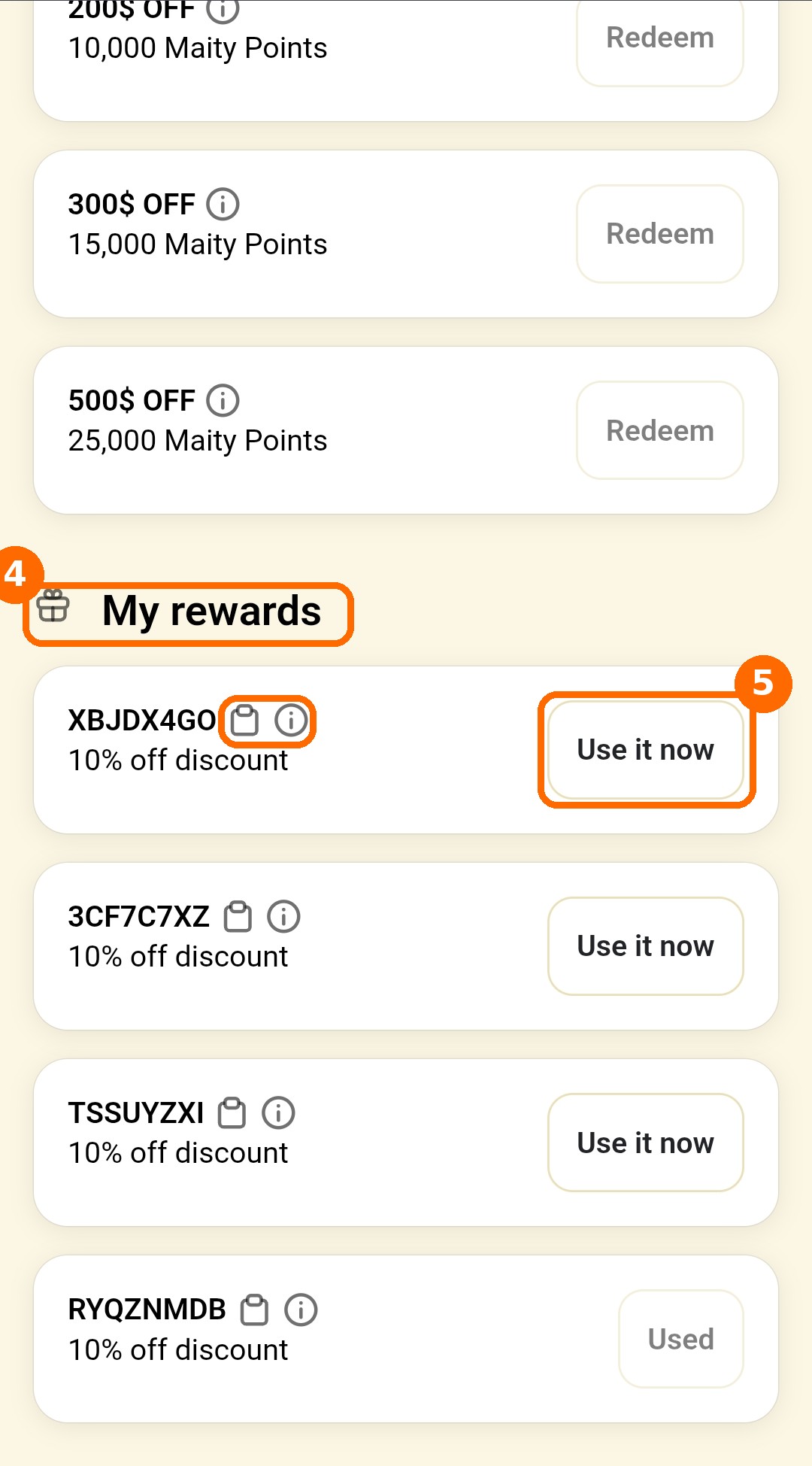
4. After you tap Redeem, your discount code appears further down the same page, under My rewards. It doesn’t pop up, so scroll down! Your codes stay saved there until you use them.
5. Tap Use it now to apply the code to your cart automatically, or tap the copy icon and paste it at checkout.
How to earn more points
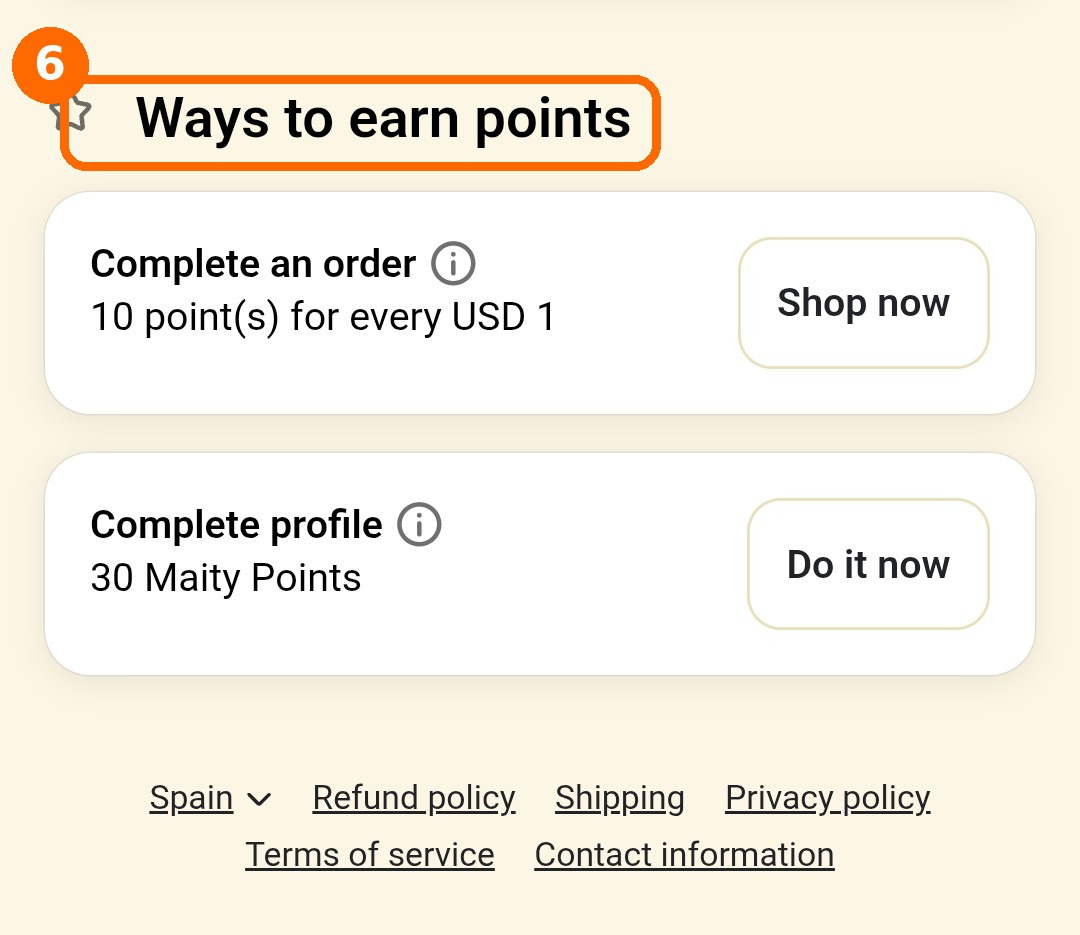
6. Ways to earn points:
- Create an account: 100 points
- Every order: 10 points for every $1 you spend
- Subscribe to the newsletter: 50 points
- Complete your profile: 30 points
Using your code at checkout
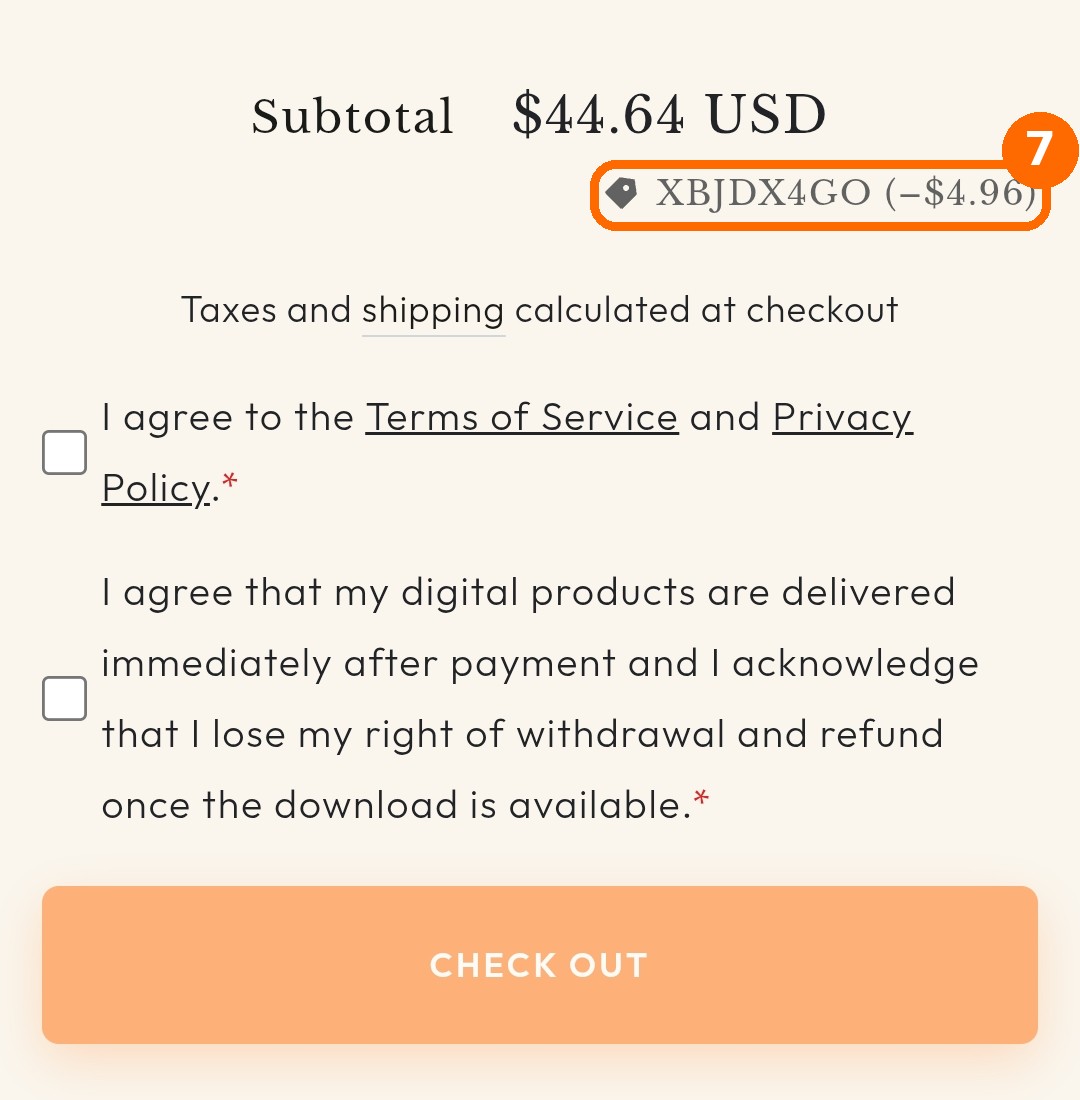
7. Your reward code shows up in your cart with the discount already deducted.
Good news: reward codes can now be combined with other discounts! For example, you can use MAITY888 on the products and your reward code on the whole order, both at the same time.
Good to know
- Each code can be used once and only on your own account.
- Points expire after 12 months without any activity.
- You need to be logged in to see and use your points.
If you have any questions or something doesn’t work as expected, just reply below and we’ll help you out. 
Enjoy your rewards!