This guide will walk you through the process of purchasing products from the Maitreya Fields Telegram Store and accessing your digital downloads
Step 1 : Open the Maitreya Telegram Bot
You can access the Maitreya Telegram bot in either of the following ways:
-
Scan the QR Code: Scan the provided QR code to open the bot directly.
-
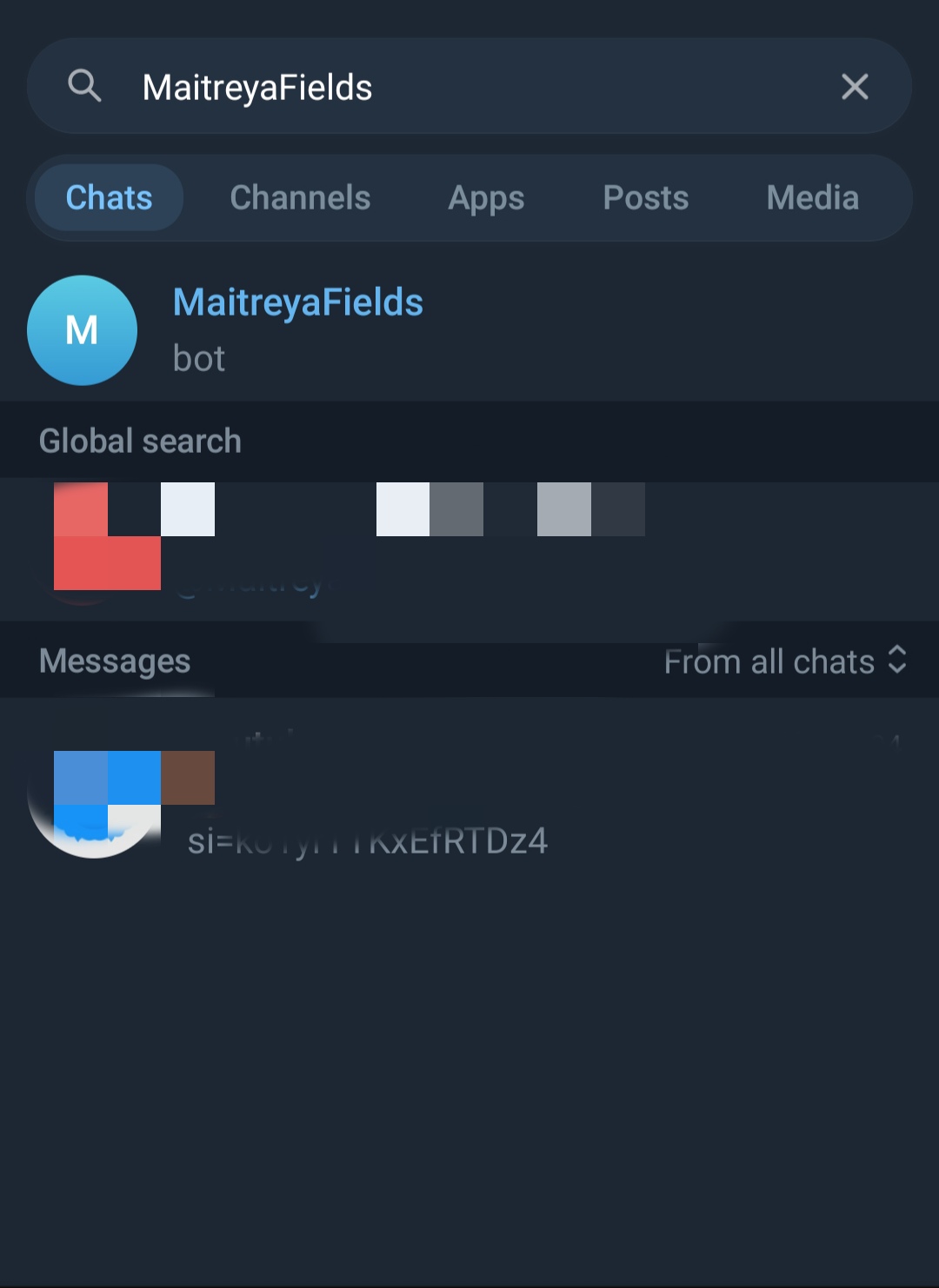
Search in Telegram: Open Telegram, search for Maitreya Fields, and select the official bot from the search results.
Step 2 : Open the Store, Add Products & Proceed to Checkout
-
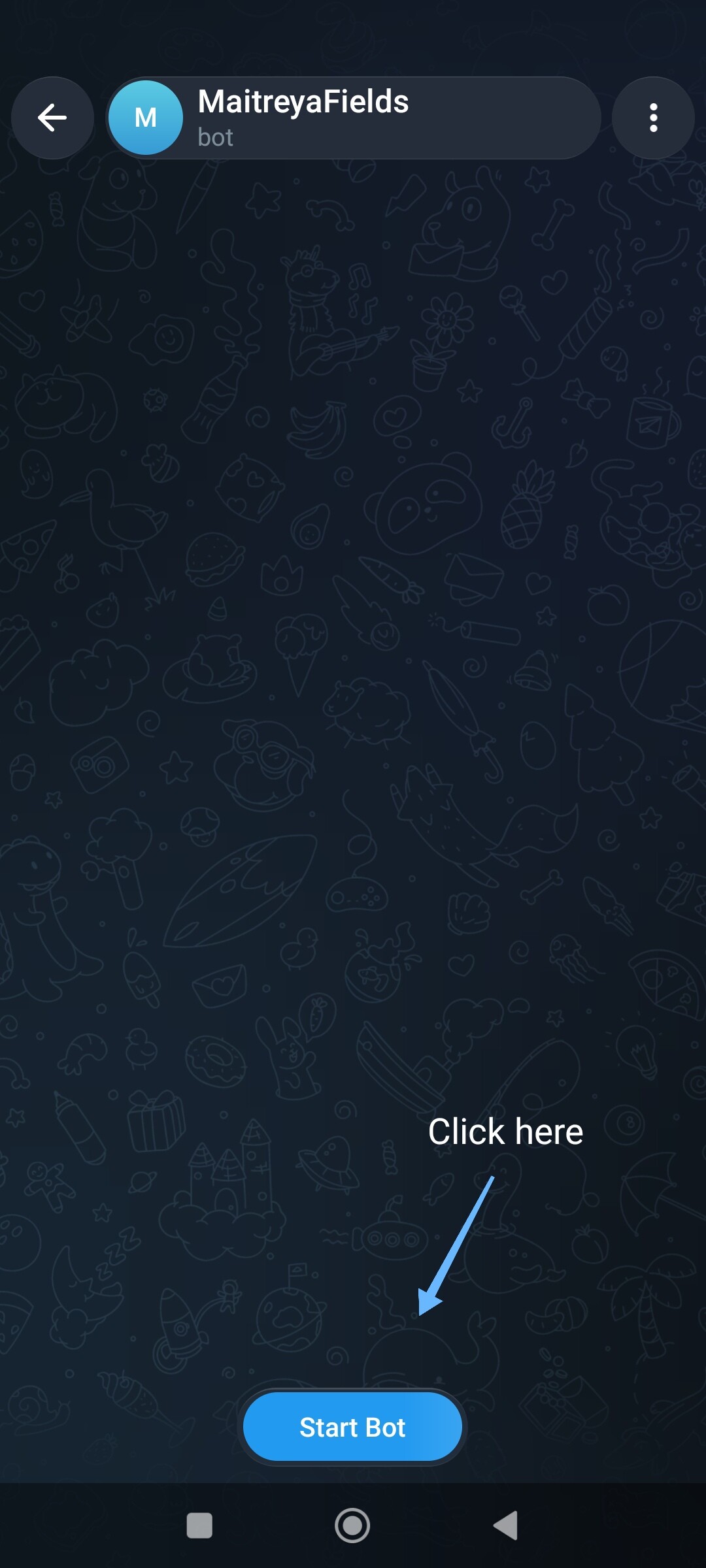
Tap the Start Bot button to begin.
-
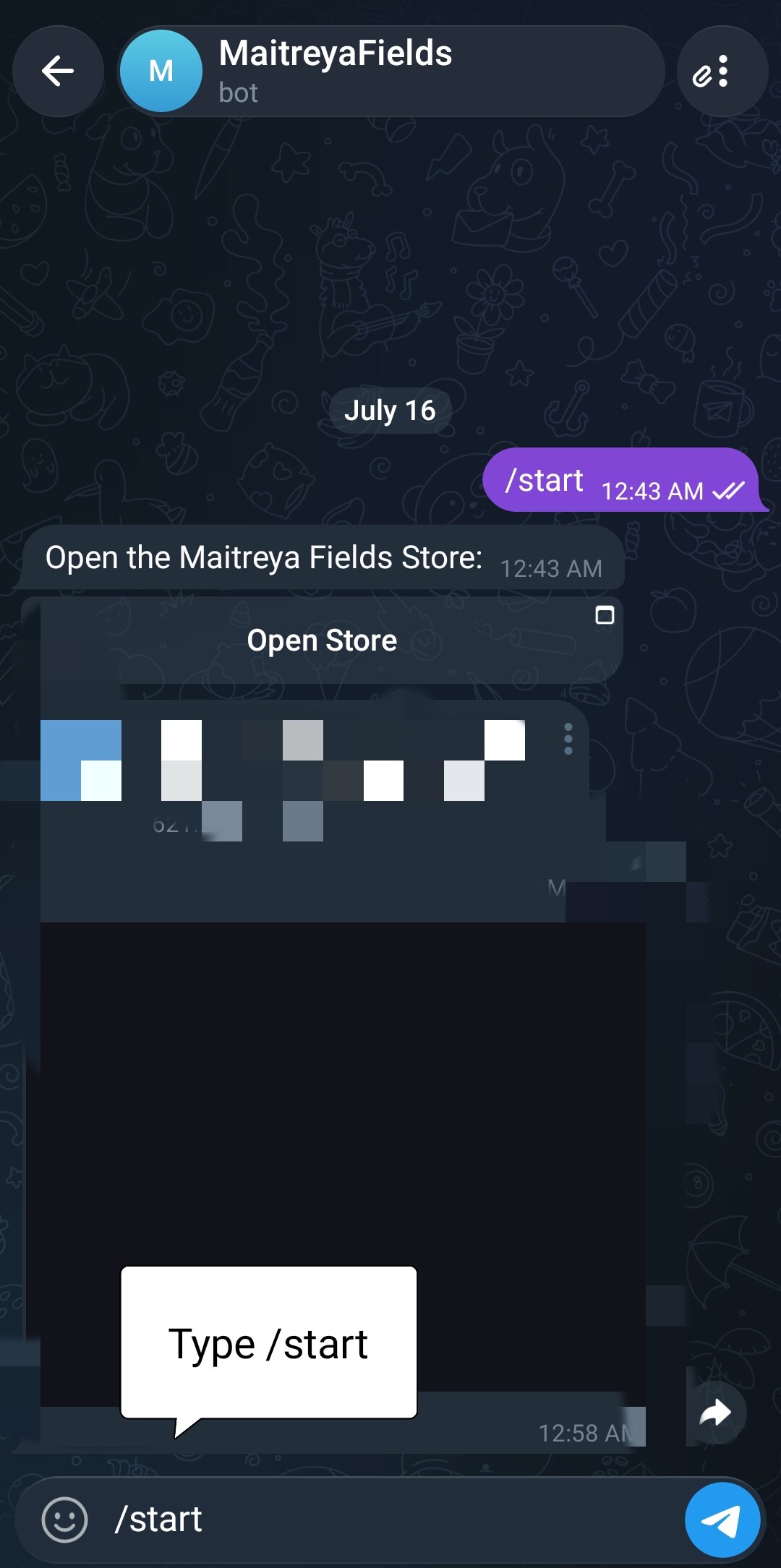
If the Start Bot button is not visible, type /start in the message box and send it.
-
-
An Open Store button will appear. Tap Open Store to launch the Maitreya Fields Mini App.
-
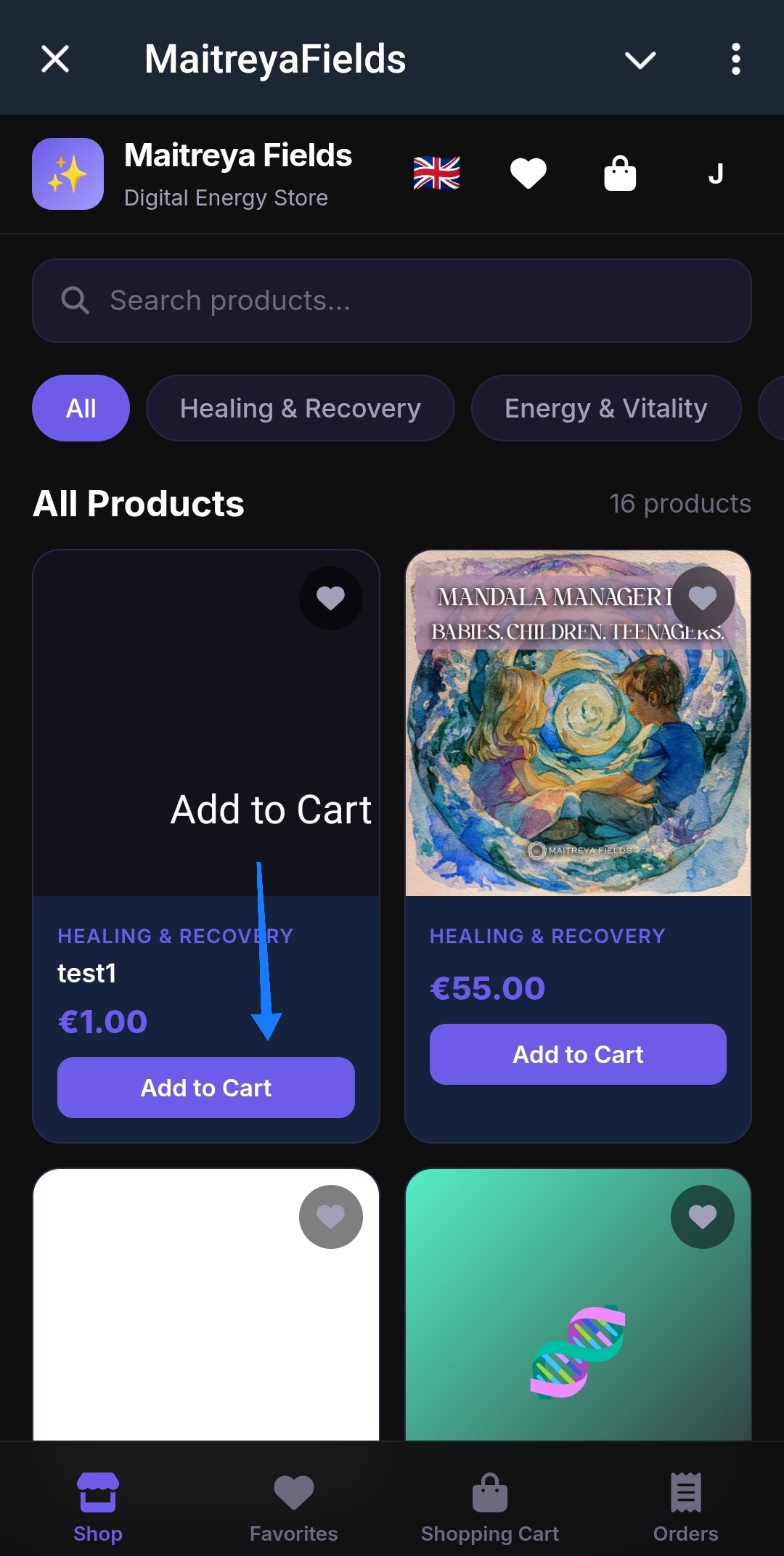
Browse the available products and tap Add to Cart for the items you wish to purchase.
-
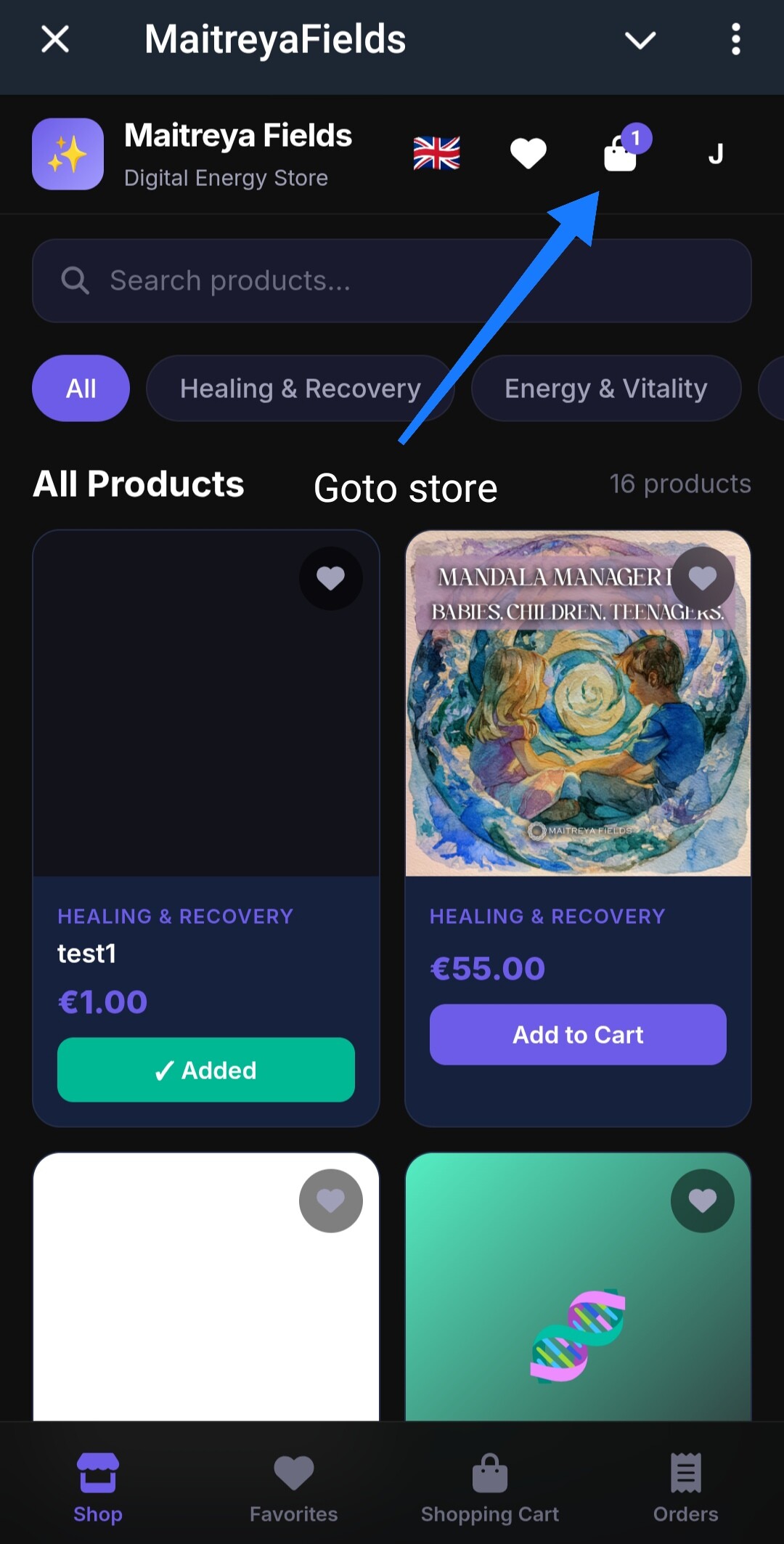
Open your Cart to review the selected products.
-
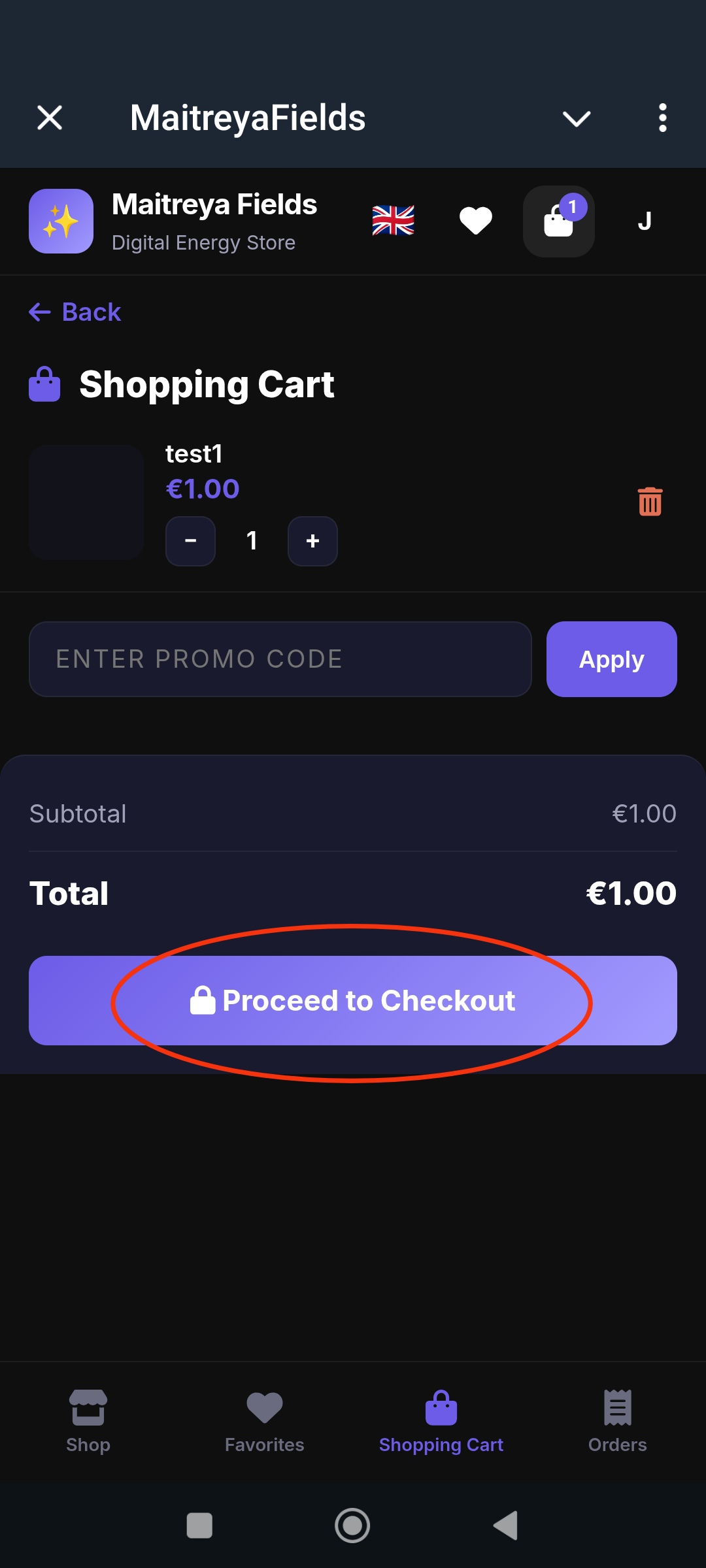
If you have a valid Promo Code, enter it and apply it before proceeding.
-
Tap Proceed to Checkout to continue to the payment page.
Tip: If the Mini App doesn’t open after tapping Open Store, switch to mobile data and try again. Some Wi-Fi networks may prevent Telegram Mini Apps from launching.
Step 3: Select a Payment Method & Complete the Payment
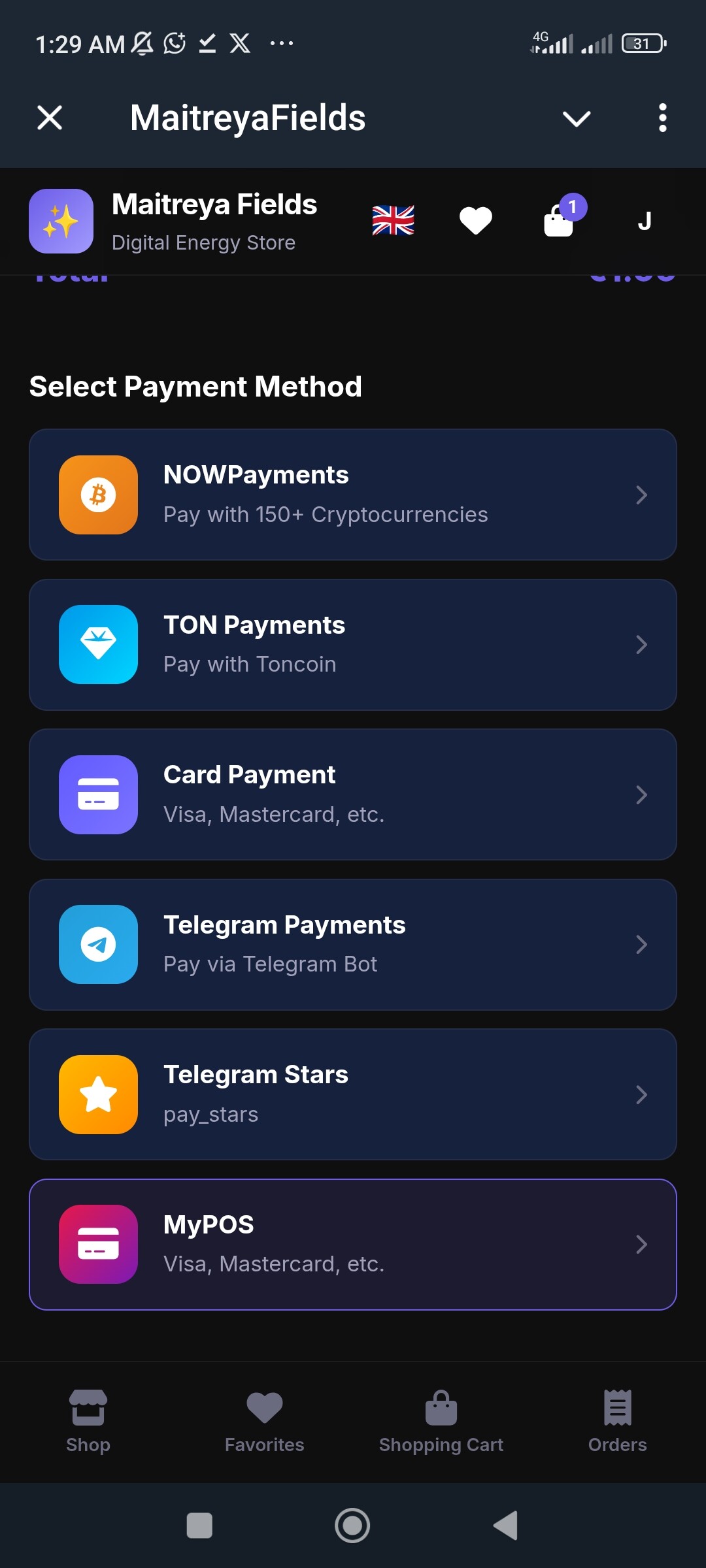
After tapping Checkout, you’ll be taken to the payment page.
-
Select the payment method that best suits your preference.
-
Follow the on-screen instructions for your chosen payment method to complete the transaction.
For Cryptocurrency Payments
-
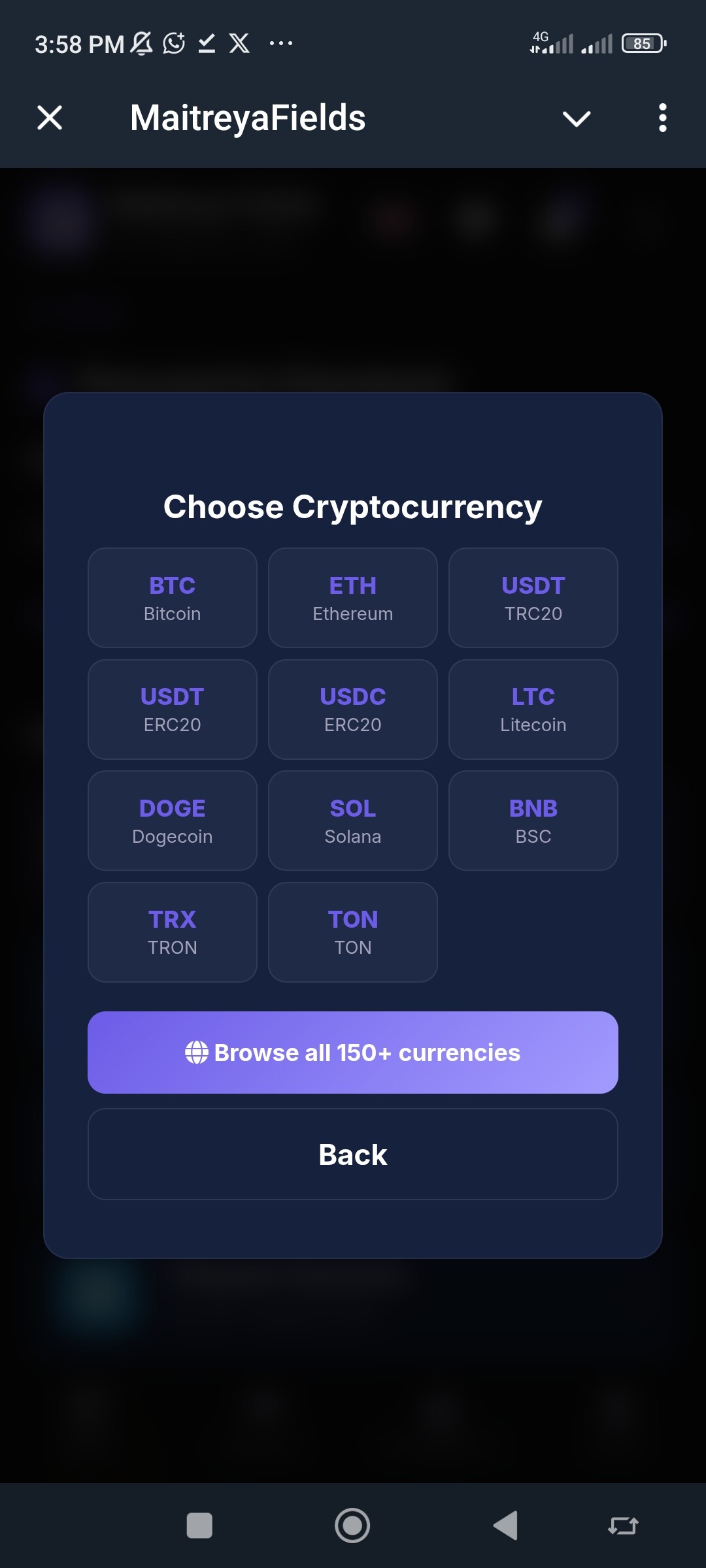
Choose the cryptocurrency you wish to pay with.
-
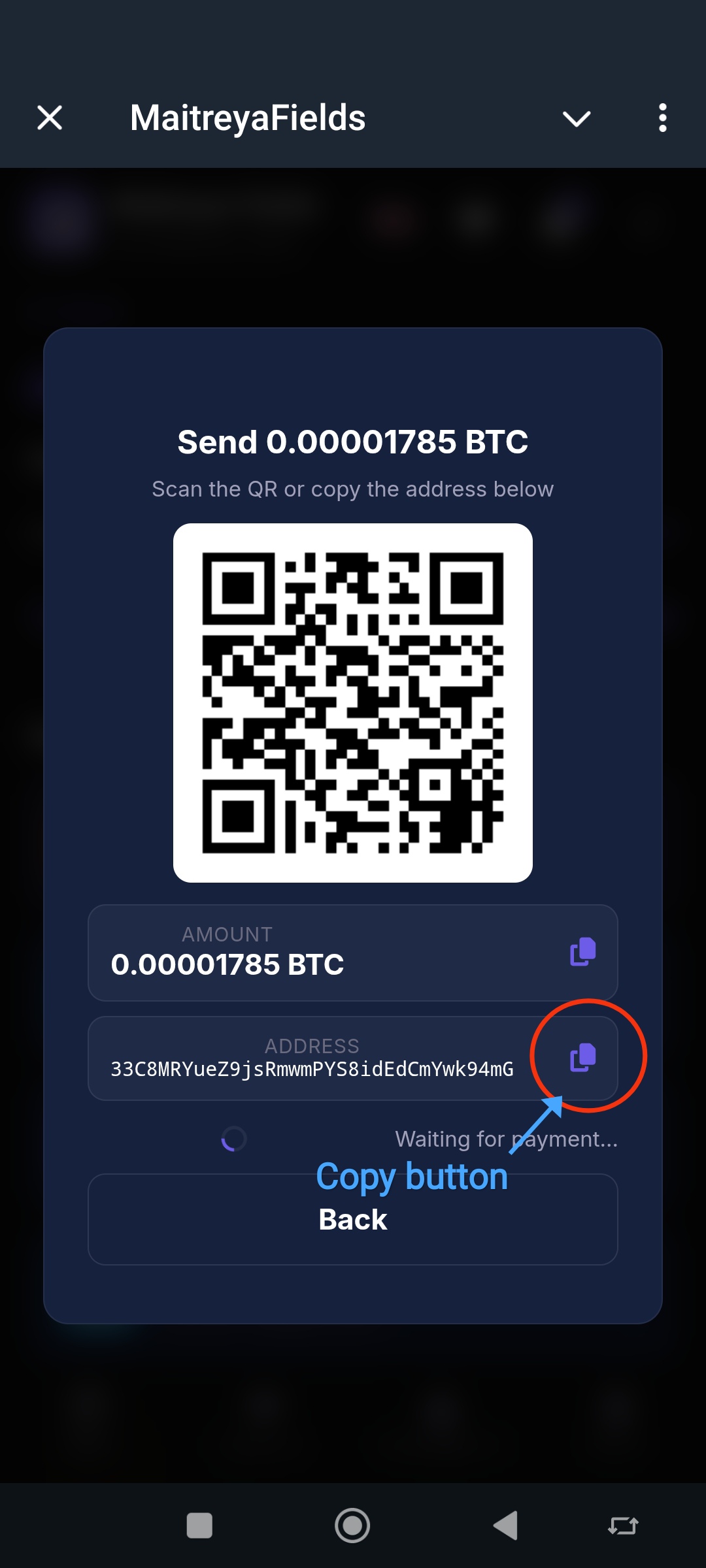
A payment page will display the required amount, wallet address, and a QR code
-
You can either:
-
Scan the QR code using your crypto wallet, or
-
Copy the wallet address using the copy button and paste it into your wallet.
-
-
Transfer the exact amount shown to the provided wallet address.
-
Once the payment is confirmed, your order will be processed automatically.
For Card Payments
-
Enter your card details on the secure payment page.
-
Complete the payment by following the instructions provided by your bank or payment provider.
-
After a successful payment, your order will be processed automatically.
Step 4: Access Your Purchased Files
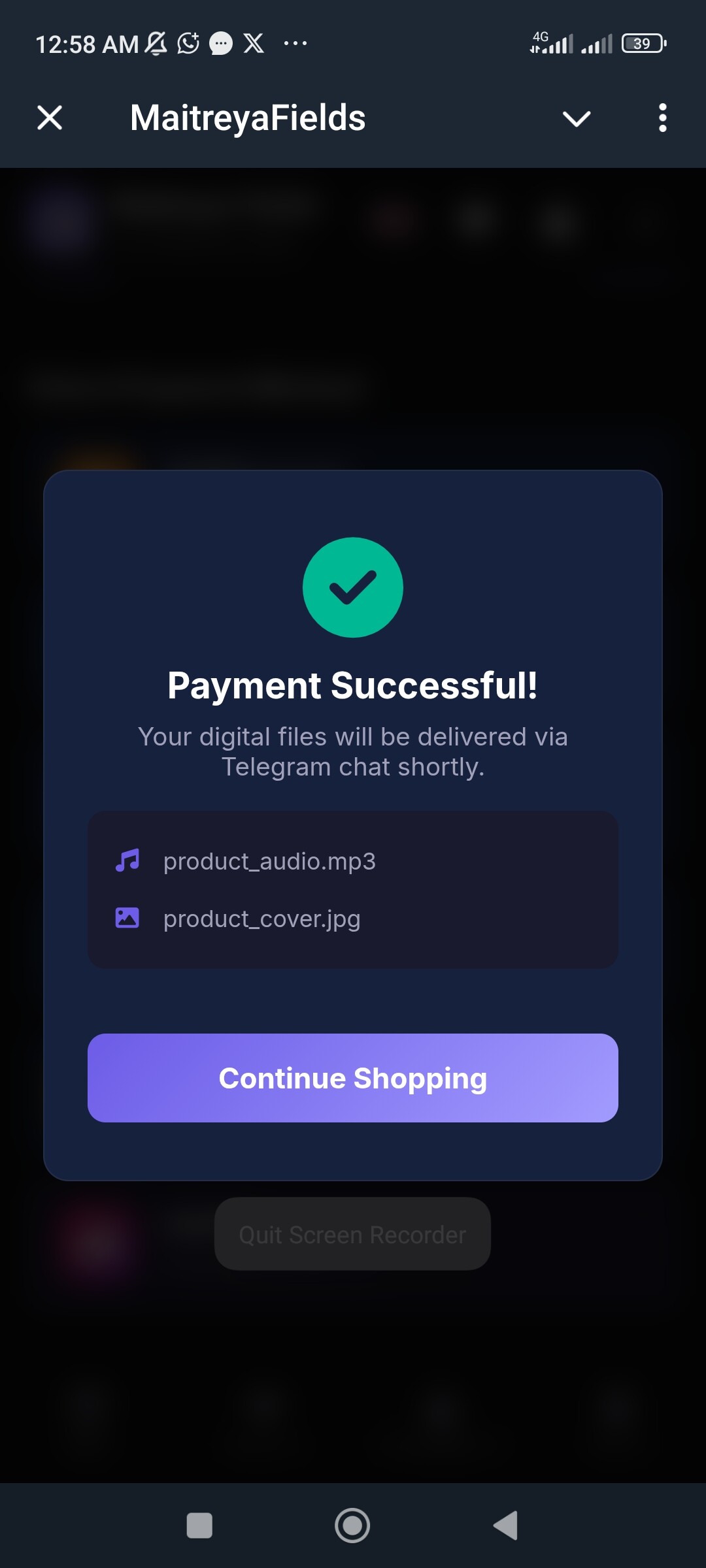
Once your payment is successful, a Payment Successful confirmation screen will appear.
Accessing Your Files from Orders
-
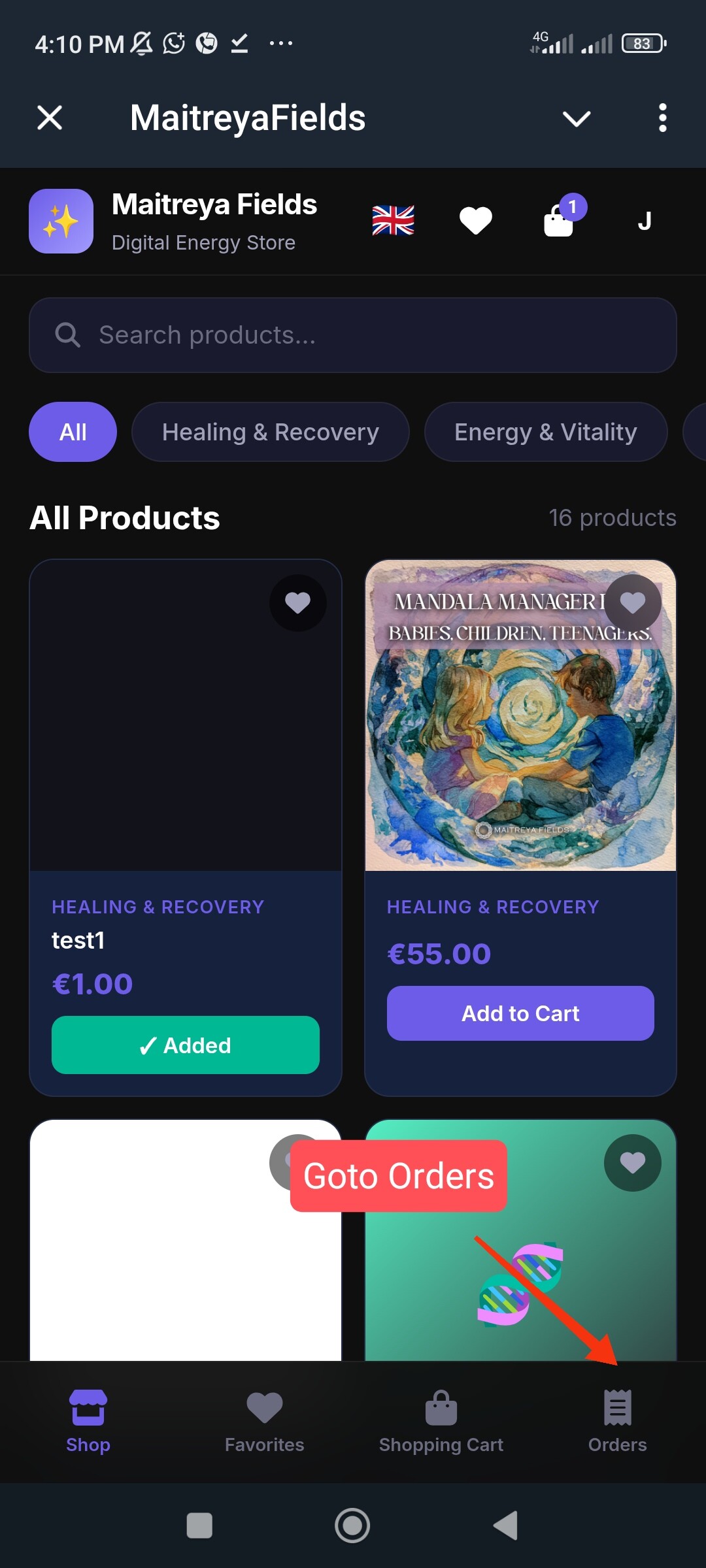
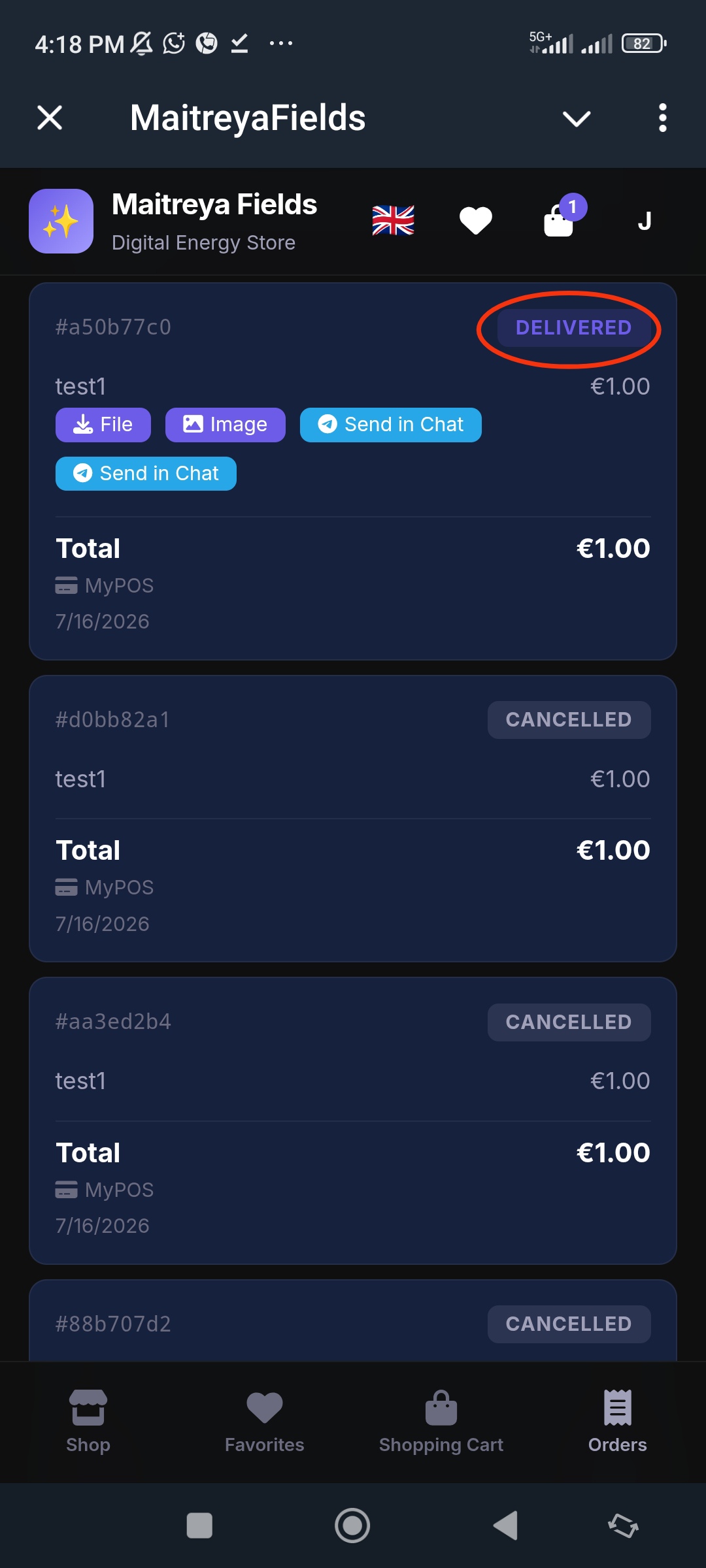
Tap the Orders tab at the bottom of the store.
-
Locate your order and ensure its status is Delivered.
-
The downloadable files for your purchase will be displayed within the order.
-
Tap the respective buttons to download or view your purchased files.
Accessing Your Files from Telegram
A copy of your purchased digital files will also be delivered directly to your Maitreya Fields Telegram chat.
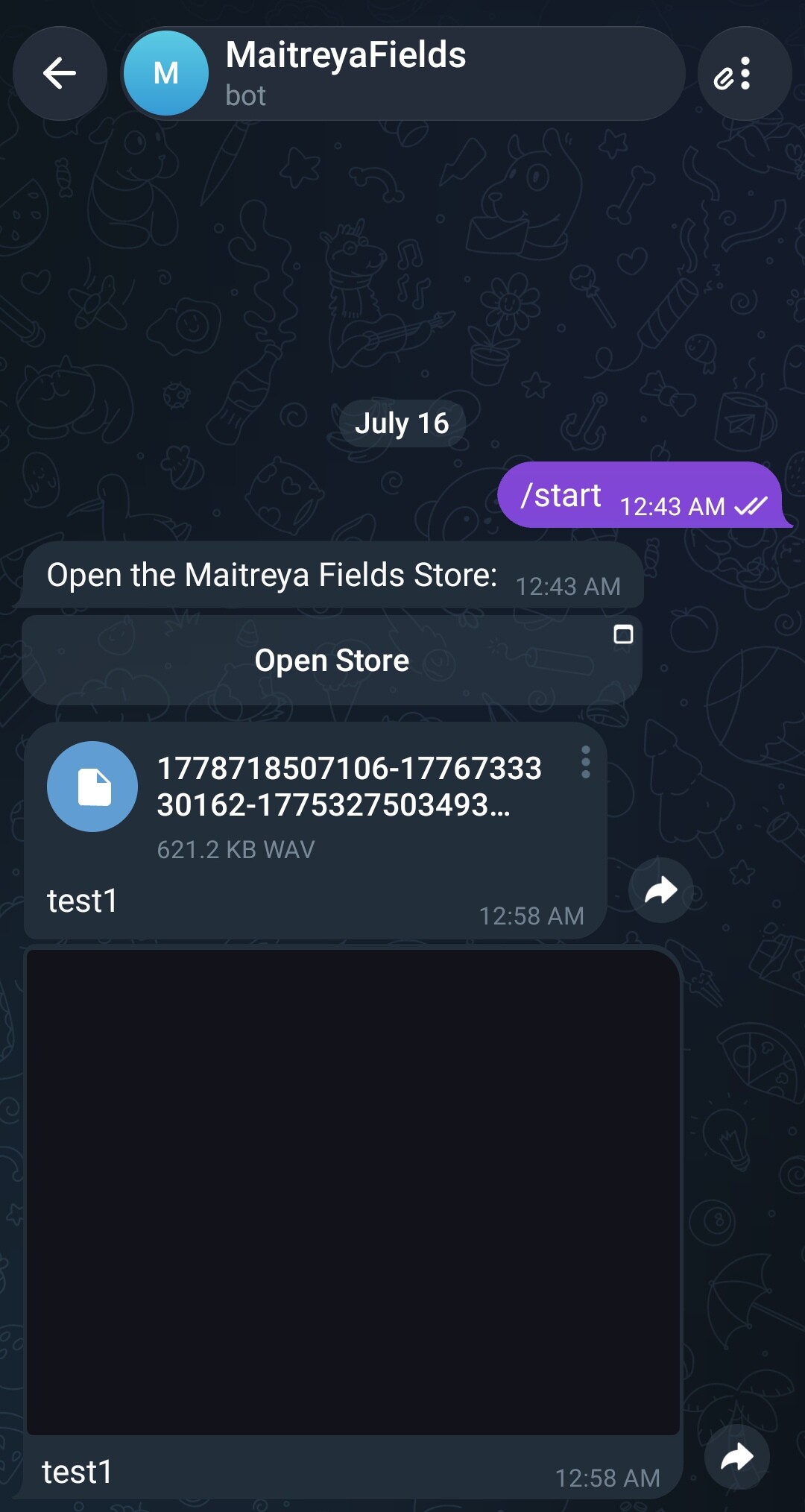
You can download or access your files anytime by opening the bot conversation and locating the delivery message.
